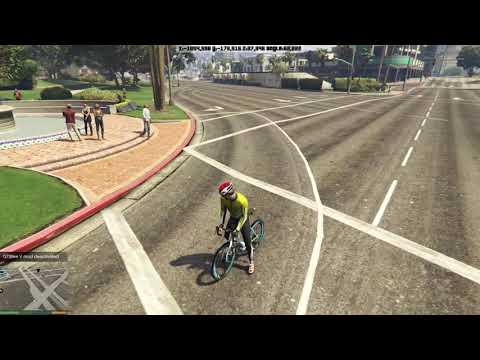
Updated CoordRecorder for GTBikeV course creation.
- Shows coordinates on top center of screen
- Press
F9to enable/disable the mod - Press
Shift+F9to teleport to selected waypoint - Press
Control+Shift+F9to teleport to last saved coordinates - When the mod is enabled
- Press
F10to save current coordinates to file - Press
Shift+Backspaceto delete last saved coordinates - Press
Shift+F10to toggle between routed and unrouted waypoint - Press
Control+F10to toggle between default and modified close-by range
- Press
- Put
CoordRecorder.dllandCoordRecorder.iniin theScriptsfolder - Optionally, open
CoordRecorder.iniand edit preferences - The requirements should be satisfied if you have already installed GTBikeV
https://github.com/oldnapalm/CoordRecorder/releases/latest
Delete the file CoordRecorder_CSV.txt when starting a new course.
- Press
F9to enable the mod - Add a waypoint in the map (
Esc, choose a location,Enter) - Press
Shift+F9to teleport to the waypoint - Press
F10to save coords to file
Save one more point close to the start point to be used as the start banner. Player heading will be used for banner rotation.
Save a waypoint close to (or aligned with) the start banner, because the rider will spawn heading to the first waypoint.
- Add a waypoint in the map
- Use the map zoom when placing the waypoint and make sure the GPS route is fine
- Activate GTBikeV-tester and use the keys
+and-to set the power - We could teleport to the next waypoint but we want to make sure the auto drive will follow the planned route
- Press
F10to save coords to file
- Disable Auto drive (or deactivate GTBikeV-tester) and ride in a straight line to the waypoint position
- Toggle to
unroutedusingShift+F10 - Press
F10to save coords to file
The last saved point will be used as the finish banner. Player heading will be used for banner rotation.
When finished adding waypoints, use csv_to_course to read the file CoordRecorder_CSV.txt and save the files 1000-1.0.json and 1000-1.0.html
- Drop the file
1000-1.0.jsoninto theModSettingsfolder - Reload the scripts (type
Reload()in the console or press the key configured inScriptHookVDotNet.ini) - Activate GTBikeV-tester and use the keys
+and-to set the power- The power is adjusted when the rider is climbing or descending, so the simulation should be a bit more realistic than using constant power, since we usually put more power on climbs and less on downhill
- After riding the course, select
End and save current activityand copy the.fitfile to theModSettingsfolder - Rename the
.jsonand.fitfiles using properIdandVersionvalues - Edit the file
courses.jsonaccordingly{"Id":1000,"Version":"1.0"}